
Product Page Settings
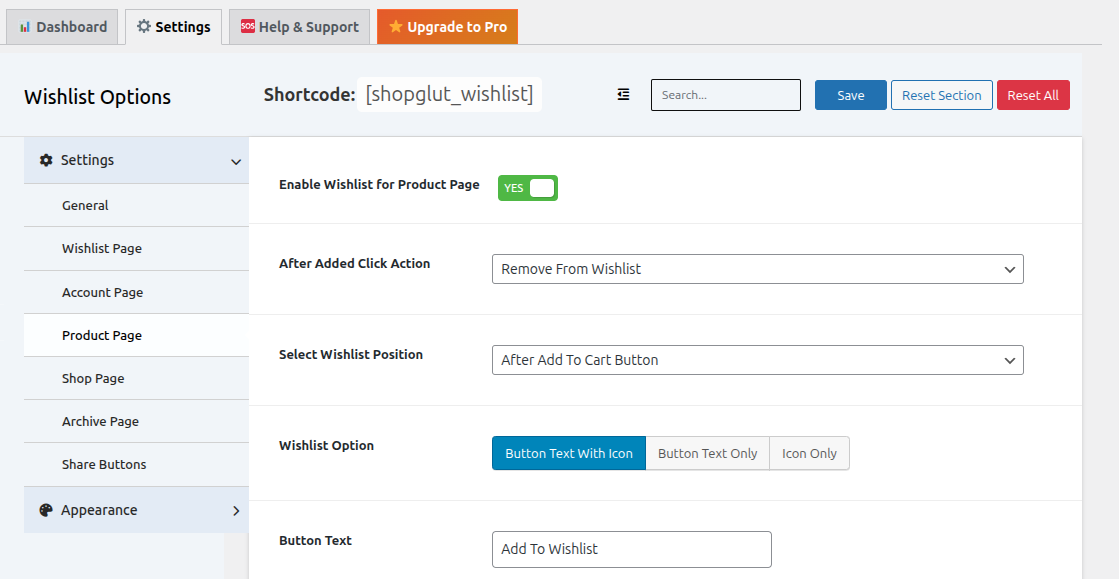
Button Configuration
- Enable/Disable: Control wishlist button visibility on product pages
- Click Actions:
- Remove from wishlist
- Go to wishlist page
- Show “already added” message
- Redirect to checkout
- Button Position:
- After add to cart button
- Before add to cart button
- After product meta
Display Options
- Button with Icon: Show both text and icon
- Button Only: Show text only
- Icon Only: Show icon only
Customization
- Custom button text (before and after adding)
- Custom icons (regular and added states)
- Icon positioning (left or right of text)