
Product Page Builder
Design the single product page with one of 7 layouts. ShopGlut arranges WooCommerce’s own parts (gallery, add to cart, tabs, related products), so variations, swatches, payment buttons and other plugins keep working.
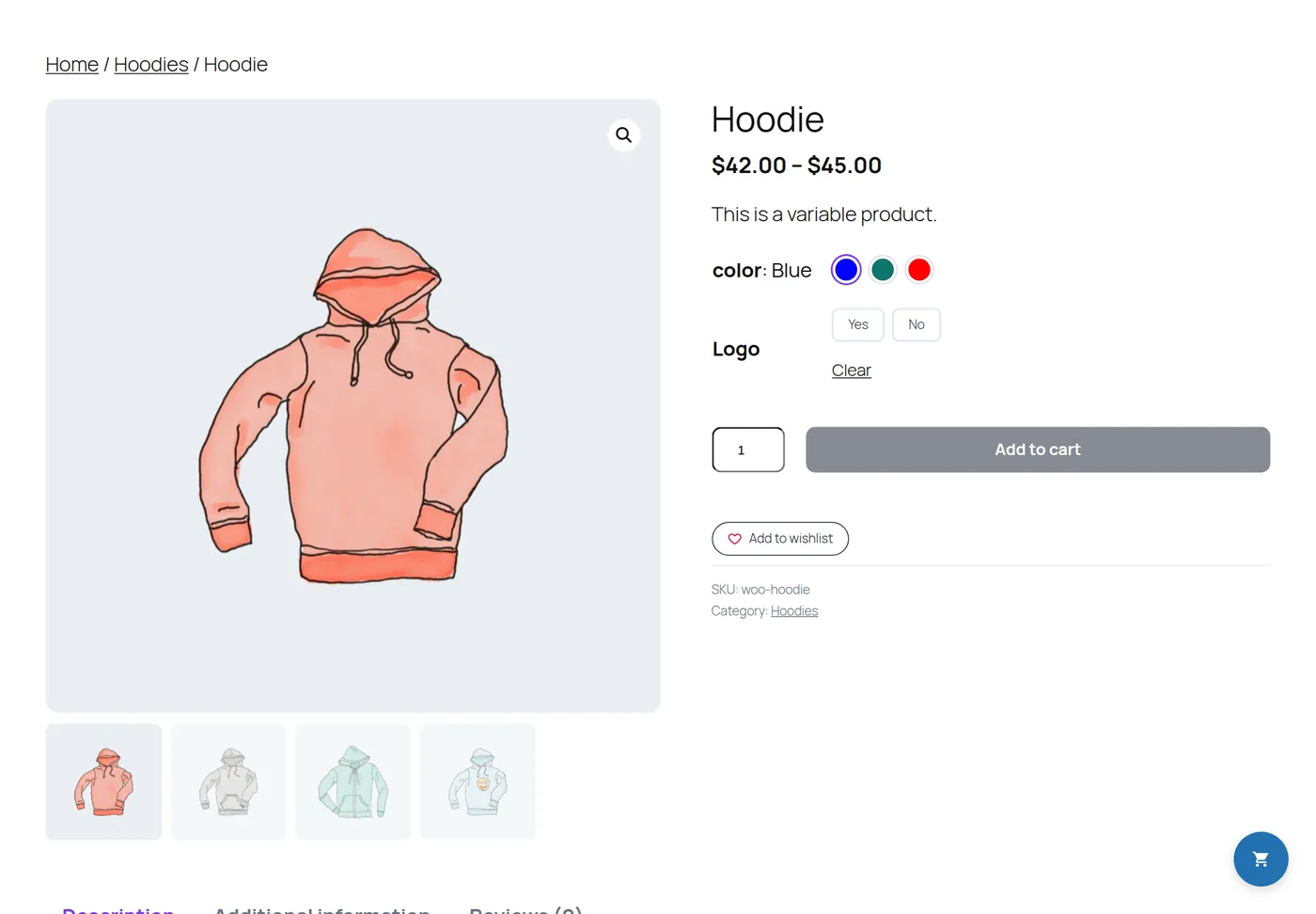
The layouts
| Template | Arrangement |
|---|---|
| 1 | Classic: gallery left, summary right, tabs below |
| 2 | Gallery on the right |
| 3 | Sticky summary next to a tall gallery |
| 4 | Centered: large gallery on top, centered summary |
| 5 | Summary in a card on a soft background |
| 6 | Editorial: large serif title, description sections instead of tabs |
| 7 | Brand panel: summary on a tinted panel in your accent color |
Options
- Gallery: image background and corner radius, thumbnails on or off, hover zoom, lightbox.
- Summary: title color and size, price colors and size, star color, show or hide the rating and short description.
- Add to cart: button background, text and hover colors, corner radius.
- Features section: a list of features with icon, title, text and link, shown under the add to cart button.
- Product tabs: extra tabs with your own title and content (shortcodes work).
- Related products: on or off, and how many per row.
Where it applies
In Display Rules, choose All products, Categories or Chosen products. Products without a matching layout keep your theme’s design.
Block themes: ShopGlut shows the theme’s header and footer around the layout, and loads WooCommerce’s gallery and tabs scripts for you.