
Shop & Archive Builder
Choose how products look on the shop page, category and tag pages, and product search results. Pick one of 10 card designs; sorting, paging and Shop Filters keep working.
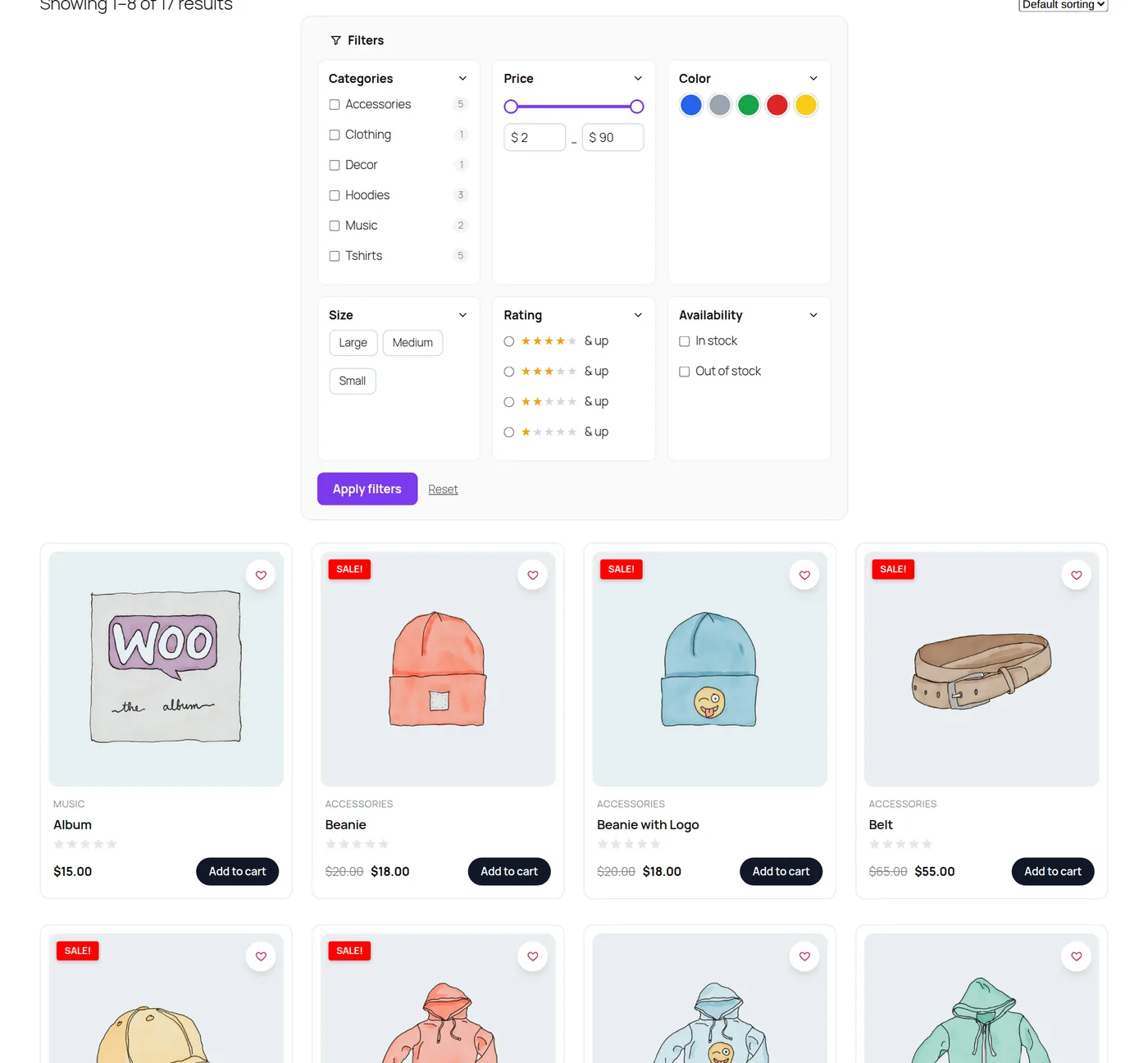
The card designs
| Template | Look |
|---|---|
| 1 | Classic: centered, second image on hover |
| 2 | Minimal: no frame, text link button |
| 3 | Card: border and lift on hover |
| 4 | Overlay: text over the image |
| 5 | List: image left, details and excerpt right |
| 6 | Compact list |
| 7 | Soft: pastel panel, large radius |
| 8 | Reveal: add to cart slides up over the image |
| 9 | Boutique: serif title, quiet button |
| 10 | Bold: big price, full-width button |
Options
- Columns (1–6) and the space between cards.
- Show or hide image, category, title, rating, price, badges and the add to cart button.
- Add to cart button text and colors; card background, border radius, title and price colors.
- Products per page.
- Exclude chosen products, categories or tags.
- Open the product image link in a new tab.
Works with other modules
- The Wishlist heart appears on each card.
- Product Badges show on the card image.
- Add to cart opens the Side Cart.